
Introduction
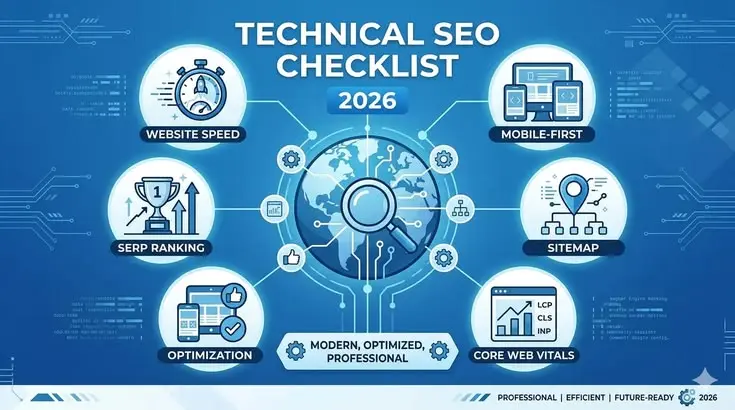
A strong website is not built on content alone. Even the best articles can struggle to rank if search engines cannot properly crawl, index, and understand the site. This is where a technical SEO checklist becomes essential. Technical SEO focuses on optimizing the backend structure of a website so that search engines can access and evaluate pages efficiently.
Many website owners spend countless hours creating content and building backlinks while ignoring technical SEO. As a result, they face issues such as slow loading speeds, indexing errors, broken links, duplicate content, and poor mobile usability. These problems can significantly impact search visibility and user experience.
Fortunately, technical SEO is not as complicated as many people believe. By following a structured technical SEO checklist, you can identify and fix issues that prevent your website from achieving better rankings. Whether you run a blog, business website, eCommerce store, or online portfolio, technical optimization should be a priority.
What is Technical SEO?
Technical SEO refers to the process of optimizing a website’s infrastructure so search engines can crawl, index, and rank its pages efficiently.
Unlike on-page SEO, which focuses on content and keywords, technical SEO deals with the technical elements behind the website. These elements help search engines understand your pages while improving user experience.
Technical SEO includes tasks such as:
- Improving website speed
- Optimizing mobile usability
- Creating XML sitemaps
- Fixing crawl errors
- Implementing HTTPS security
- Managing structured data
- Eliminating duplicate content
- Improving website architecture
A proper technical SEO checklist ensures that search engines can access every important page and understand the content without encountering obstacles.
Why is Technical SEO Important?
Technical SEO forms the foundation of every successful SEO strategy.
Without proper technical optimization, search engines may struggle to discover, crawl, or index your content. Even outstanding articles may fail to rank if technical issues exist.
Here are several reasons technical SEO is important:
- Improves search engine crawling efficiency
- Helps pages get indexed faster
- Enhances user experience
- Reduces website errors
- Improves page loading speed
- Supports higher search rankings
- Strengthens website security
- Increases mobile usability
- Helps search engines understand content better
A well-optimized website creates a positive experience for both users and search engines, leading to improved visibility and traffic.
Detailed Step-by-Step Guide

Step 1: Ensure Website Crawlability
Search engines use bots to crawl websites and discover content.
Check whether important pages are accessible to search engine crawlers. Avoid accidentally blocking valuable pages through robots.txt settings.
Key actions:
- Review robots.txt file.
- Allow crawling of important sections.
- Block unnecessary pages.
- Monitor crawl errors regularly.
A properly configured crawl setup is the first step in any technical SEO checklist.
Step 2: Create and Submit XML Sitemap
An XML sitemap helps search engines understand your website structure.
The sitemap contains URLs that you want search engines to crawl and index.
Best practices include:
- Include important pages only.
- Remove broken URLs.
- Update automatically when new content is published.
- Submit the sitemap to search engines.
A sitemap improves content discovery and indexing efficiency.
Step 3: Secure Your Website with HTTPS
Website security is a ranking factor.
HTTPS encrypts communication between visitors and your website, protecting sensitive information.
Benefits include:
- Improved trust
- Better security
- Ranking advantages
- Safer browsing experience
If your website still uses HTTP, migrate to HTTPS immediately.
Step 4: Improve Website Speed
Page speed directly affects user experience and search performance.
Slow websites often experience higher bounce rates and lower engagement.
Ways to improve speed:
- Compress images
- Enable browser caching
- Minify CSS files
- Minify JavaScript files
- Use a content delivery network
- Reduce server response time
- Remove unnecessary plugins
A faster website often leads to improved rankings and conversions.
Step 5: Optimize for Mobile Devices
Most users browse websites through smartphones.
Search engines prioritize mobile-friendly websites, making mobile optimization a critical part of a technical SEO checklist.
Check the following:
- Responsive design
- Readable text
- Proper spacing
- Fast mobile loading
- Easy navigation
A seamless mobile experience improves both rankings and user satisfaction.
Step 6: Fix Broken Links
Broken links create poor user experiences and waste crawl budget.
Regularly identify and repair:
- Internal broken links
- External broken links
- Redirect chains
Maintaining healthy links helps search engines navigate your site effectively.
Step 7: Optimize URL Structure
URLs should be simple, descriptive, and easy to understand.
Good URL example:
yourwebsite.com/technical-seo-checklist
Poor URL example:
yourwebsite.com/page?id=12345
Guidelines:
- Keep URLs short
- Use hyphens
- Avoid unnecessary parameters
- Include relevant keywords naturally
Clean URLs improve usability and crawlability.
Benefits of Technical SEO
A complete technical SEO checklist provides numerous advantages:
- Better search engine visibility
- Faster website performance
- Improved user experience
- Higher search rankings
- Increased organic traffic
- Better mobile usability
- Stronger website security
- Enhanced crawl efficiency
- Improved indexing rates
- Reduced technical errors
- Higher engagement metrics
- Better conversion opportunities
Disadvantages / Risks
While technical SEO offers many benefits, there are some challenges:
- Requires ongoing maintenance
- Some fixes need technical knowledge
- Mistakes can impact rankings
- Large websites require more monitoring
- Site migrations can create risks
- Complex implementations may need developer assistance
Despite these challenges, the long-term benefits outweigh the risks.
Common Mistakes to Avoid
Many website owners unknowingly make technical SEO mistakes that affect performance.
Common errors include:
- Ignoring crawl errors
- Using slow hosting services
- Forgetting mobile optimization
- Creating duplicate content
- Leaving broken links unresolved
- Blocking important pages in robots.txt
- Using incorrect redirects
- Neglecting XML sitemaps
- Ignoring Core Web Vitals
- Failing to monitor indexing issues
Avoiding these mistakes can significantly improve website health and rankings.
FAQs
What is the purpose of a technical SEO checklist?
A technical SEO checklist helps identify and fix issues that affect crawling, indexing, website performance, and search engine visibility.
How often should I perform a technical SEO audit?
Most websites should conduct a technical SEO audit every three to six months. Larger websites may require more frequent audits.
Is technical SEO important for small websites?
Yes. Even small websites benefit from improved crawlability, faster loading speeds, better security, and stronger search visibility.
Can technical SEO improve rankings?
Yes. Technical SEO removes barriers that prevent search engines from accessing and understanding your content, which can contribute to higher rankings.
What is the difference between technical SEO and on-page SEO?
Technical SEO focuses on website infrastructure and performance, while on-page SEO focuses on content, keywords, headings, and user relevance.
Why is page speed important in technical SEO?
Page speed affects user experience, engagement, and search rankings. Faster websites generally perform better in search results.
What are Core Web Vitals?
Core Web Vitals are user experience metrics that measure loading performance, responsiveness, and visual stability on a website.
Does HTTPS help SEO?
Yes. HTTPS improves security and trust while also serving as a ranking signal for search engines.
Expert Tips & Bonus Points
To maximize the effectiveness of your technical SEO checklist, follow these expert recommendations:
- Prioritize mobile-first optimization.
- Use clean and descriptive URLs.
- Review crawl reports regularly.
- Monitor indexing changes monthly.
- Keep website software updated.
- Compress images before uploading.
- Strengthen internal linking strategies.
- Test page speed frequently.
- Maintain secure HTTPS implementation.
- Remove unnecessary plugins and scripts.
- Continuously monitor structured data performance.
- Keep website architecture simple and organized.
These small improvements often produce significant long-term SEO gains.
Conclusion
Technical SEO is the foundation that supports every successful search engine optimization strategy. While high-quality content and backlinks are important, they cannot achieve their full potential if technical issues prevent search engines from accessing and understanding your website properly. A comprehensive technical SEO checklist ensures that your site remains crawlable, indexable, fast, secure, and user-friendly.
By focusing on critical areas such as website speed, mobile responsiveness, XML sitemaps, HTTPS security, structured data, internal linking, and Core Web Vitals, you create an environment where both users and search engines can interact with your content efficiently. These improvements not only enhance rankings but also increase visitor satisfaction and engagement.
Technical SEO should be viewed as an ongoing process rather than a one-time project. Search engine algorithms evolve, websites grow, and new challenges emerge over time. Regular audits and continuous monitoring help identify problems early and maintain optimal performance.